

Sharing
Made to share with the people you travel with.
Plan a trip together, put it to a vote in the group chat, share the stay you picked, send the trip to the people coming, and post when the otter saves you money. Each one shows its numbers and leaves out what's private, and when you're signed in, every link you share carries your referral, so a friend who joins gets 60 days of Pro free. The images are real ones; the two marked “Example” are real screens from a test trip.
While you plan
Plan it together.
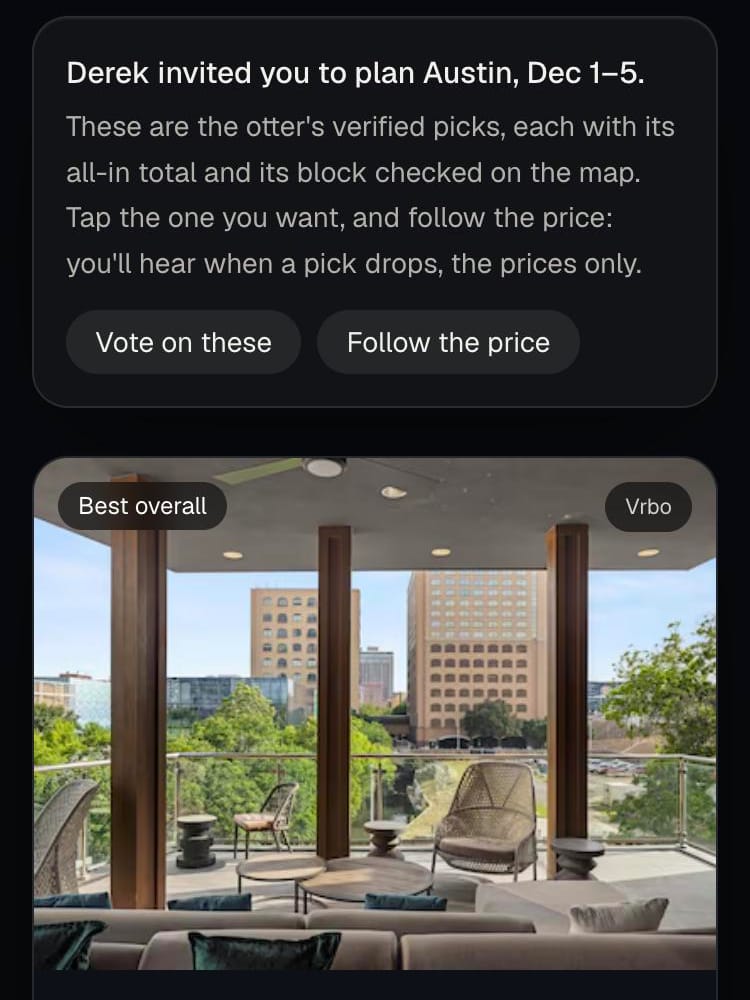
Invite your travel partner to the search you're working on. They open the same picks with your name on top, every stay with its all-in total and its block checked on the map, and can vote on them straight away.
Once you've turned on the price alert, they can follow it from their own inbox with one sign-in: when a pick drops, they hear too, with the prices only. They can't change or stop your alert, and they never see your address.
Where to find it: On your results, tap “Invite your travel partner”. It goes through your referral link, so if they're new they start with 60 days of Pro free.
Before you book
Which one? Let the group vote.
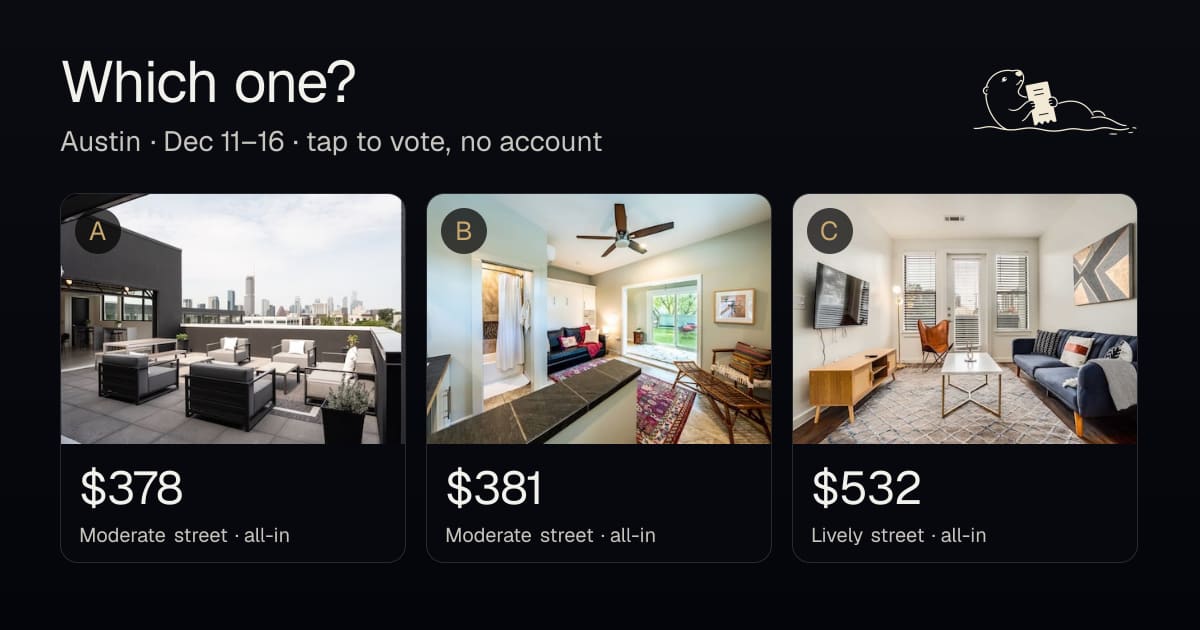
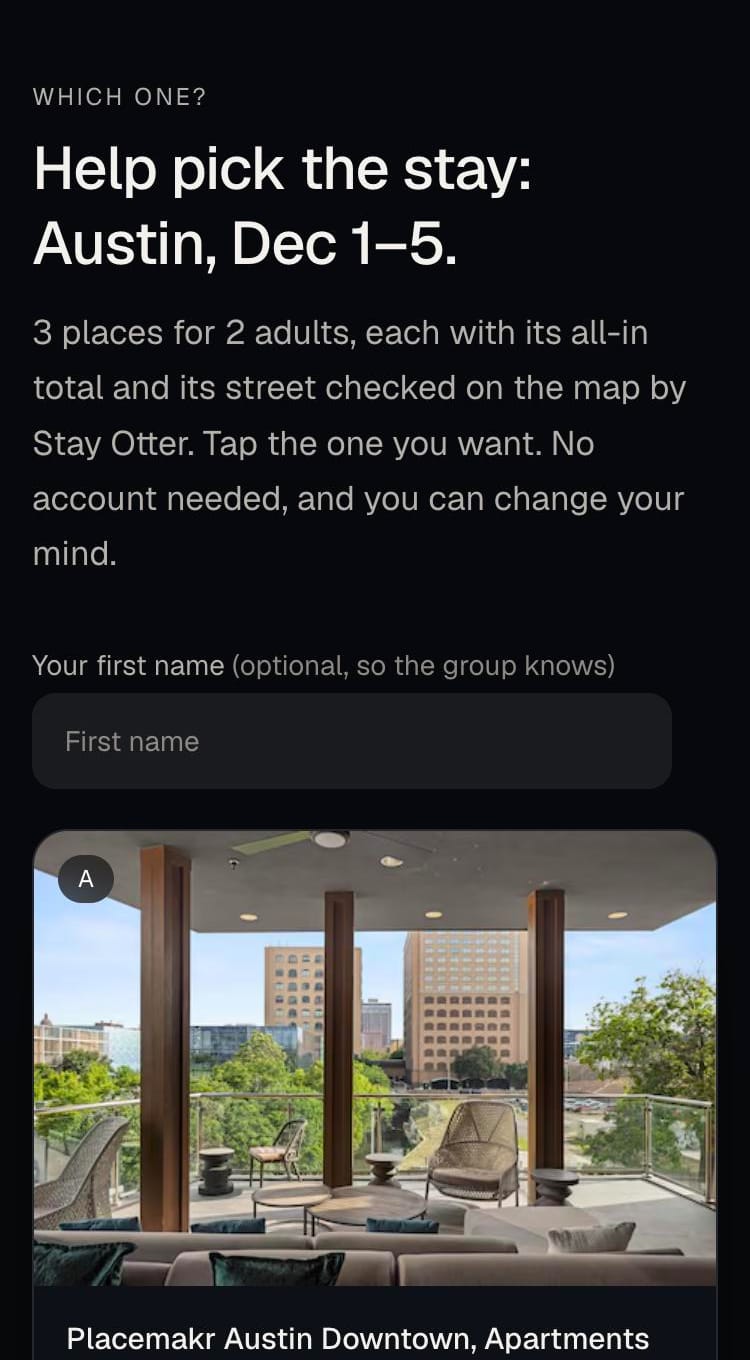
Send the group chat one link with your top picks. Friends tap the stay they want, no account and no app, and the leader shows as the votes come in. They can add a first name so you know who picked what, and change their mind any time.
Each stay on the vote has its all-in total, its street and what's within a walk, with a link to the full receipts and the block map.
Where to find it: On your results, tap “Ask the group” (a search for three or more people offers it right above the picks). It's on every stay card too, the link previews in the chat as the picks side by side, and once votes come in your results show the count and which stay leads.
The stay you picked
Share a stay, or post it to your story.
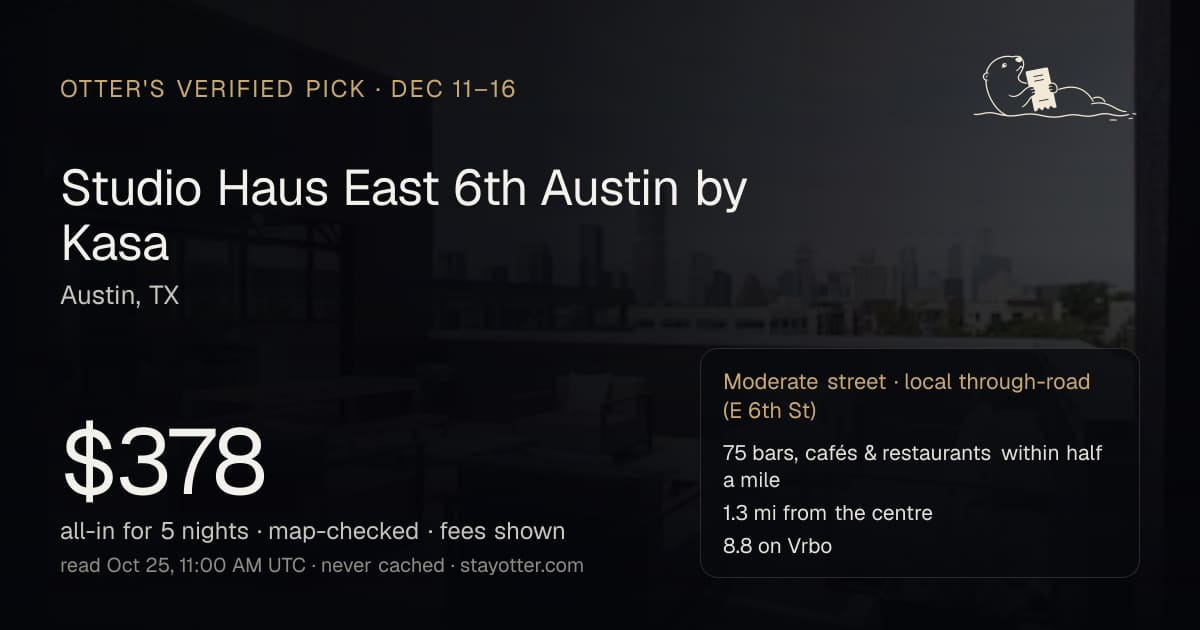
Every pick has a card you can send: the photo, the all-in total, the street verdict and when the price was read. Whoever opens it sees the same receipts and can run the same search for their own dates.
Or save it as a 9:16 image for Instagram, WhatsApp or any story. On a phone it goes straight into the share sheet.
Where to find it: On a stay card: “Share this stay” (your phone's share sheet; on a computer, Messages, WhatsApp, X, Facebook, email or copy) and “Save for your story”.

After you book
Send the trip to the people coming.
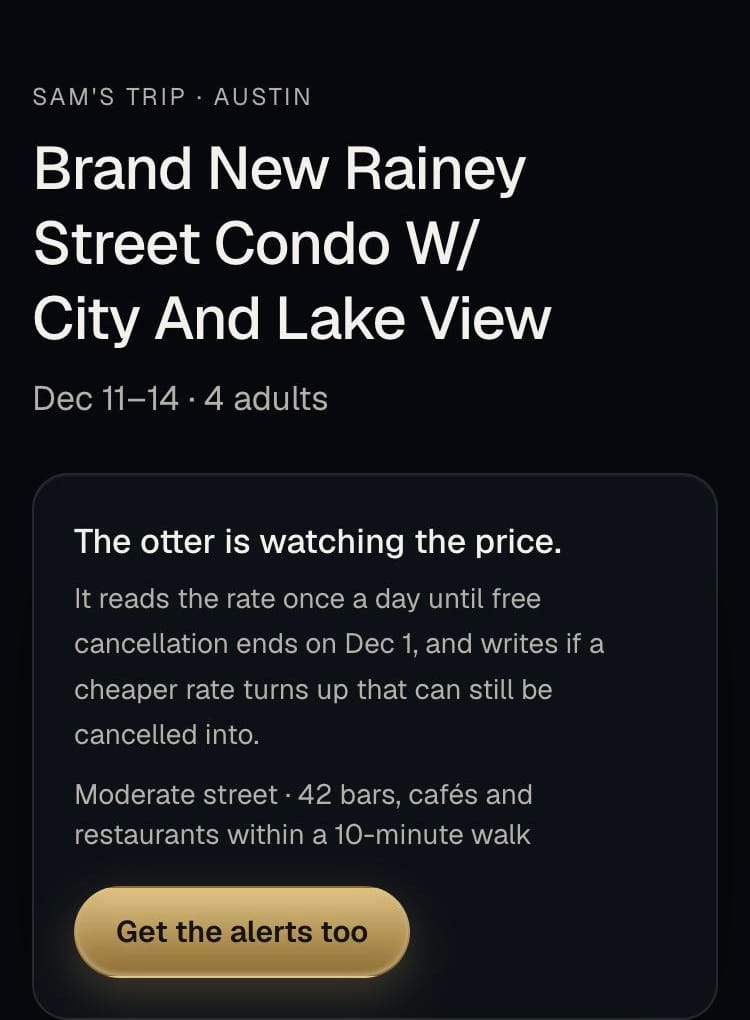
Once the otter is watching your booking, send your group the trip: the place, the dates and the block on a map. Anyone on it can tap “Get the alerts too” and hear when a cheaper rate turns up, so they can tell you; the booking stays yours to change.
They see the new rate the otter finds, never what you paid, your address or your confirmation. They can stop following from the same page.
Where to find it: On your booking watch page, under “Travelling with others? Send them the trip”. The link is also in the email the otter sends when the watch starts.
When the otter saves you money
Post the catch.
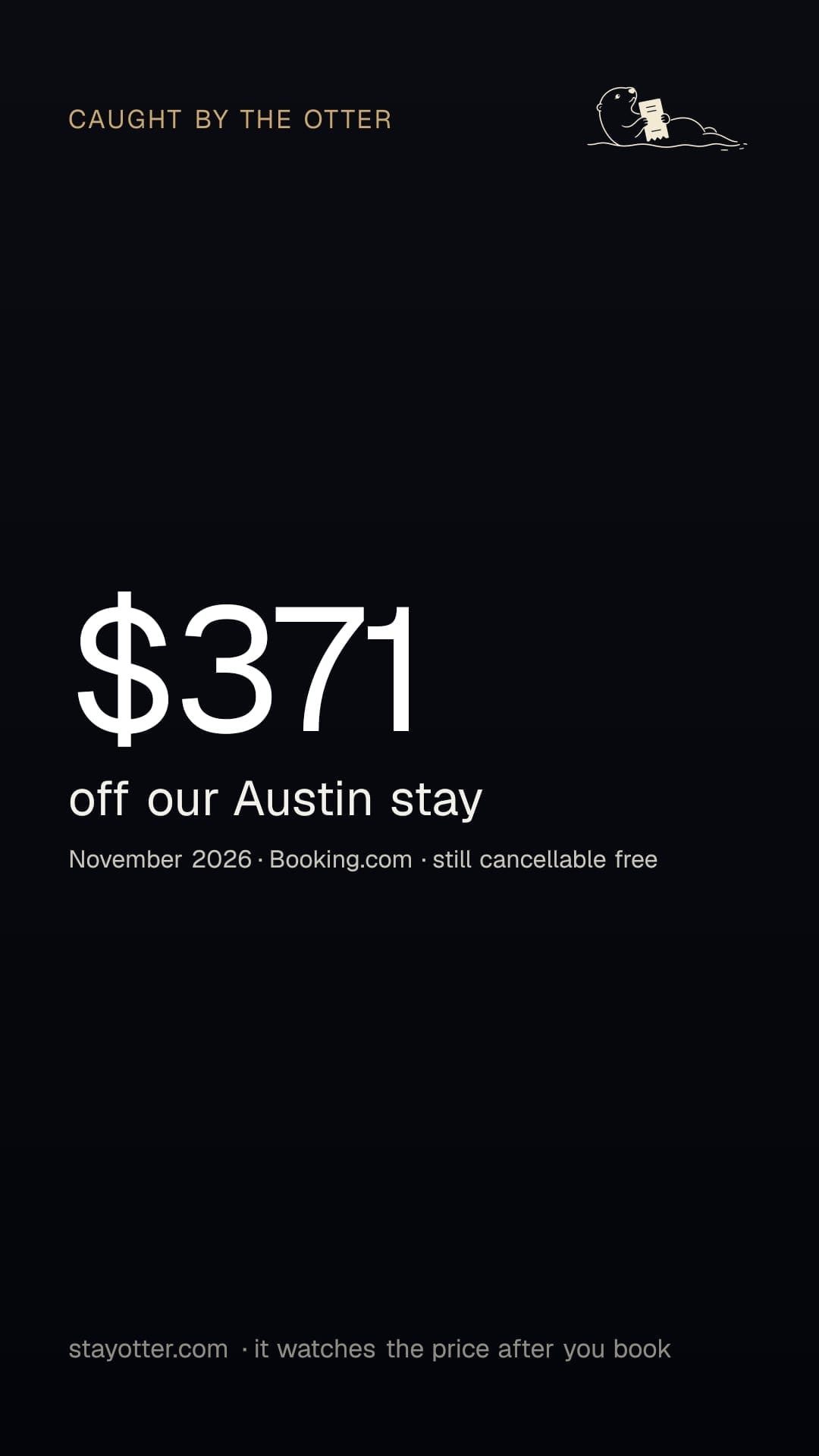
When the otter finds a cheaper rate on your trip, or watches it to the end and your price holds, the email offers a card to post: the amount, the city and the month, and nothing else.
Save it as a story, or as a see-through sticker to lay over your own trip photo. Shared from the email, the link carries your referral, so a friend who joins gets their first 60 days of Pro free.
Where to find it: In the drop alert, the “Share the catch” button under the two steps; in the “your price held” email, “Share it”.

Your link
Refer a friend.
Your account page has your own link. A friend who joins through it gets their first 60 days of Pro free, no card, and when they first pay you get a month of Pro. You rarely need to copy it: when you're signed in, every vote, stay, trip and invite link you share goes through it, and the friend lands on the page you shared with your name on top.
Your account and linkWhat each one shows, and never shows
| Shared | Shows | Never shows |
|---|---|---|
| Plan it together | The picks, their totals, streets and receipts; your first name if your profile has one | Your address; they can't change or stop your alert |
| Which one? | The stays, their totals, streets and receipts; first names only if voters type them | Who made the search, your address, anything you didn't choose to show |
| A shared stay | The stay, its total, its street and when it was read | Who you are |
| The trip link | The place, the dates, the block, your first name if your profile has one | What you paid, your address, the confirmation |
| The catch card | The amount, the city, the month, the site | The property, the exact dates, the price you paid, you |
The full detail is in the privacy notice.
Questions
- Do my friends need an account to vote?
- No. They open the link and tap. A first name is optional.
- Can someone on my trip link change or cancel my booking?
- No. The otter never books or cancels anything, and the trip link can't stop or change your watch. They hear when a cheaper rate turns up; the booking stays yours.
- Does sharing tell anyone what I paid?
- No. The trip link and the catch card never show the price you paid. A catch card shows the amount saved, not the price.
- What does my travel partner get when they follow the price?
- An email when a pick on your search drops, with the stay and its new total. They don't get your address, can't change or stop your alert, and can stop following from the picks page.
- Do shares count as referrals?
- Yes, when you're signed in. A friend who arrives through your link and makes an account gets 60 days of Pro free; when they first pay, you get a month.
- Can my AI assistant share these?
- Yes. When ChatGPT, Claude or another assistant runs a search through Stay Otter, the card it gets back carries the group-vote link and each pick's story image.